Building a DIY Home Camera System for Under £200
A few weeks ago I got fed up with our unreliable Blurams camera and its recurring subscription cost. So I did what any reasonable person would do and built a full DIY camera system from scratch. It was one of the most straightforward projects I've taken on recently, and the result has been brilliant.
The Hardware
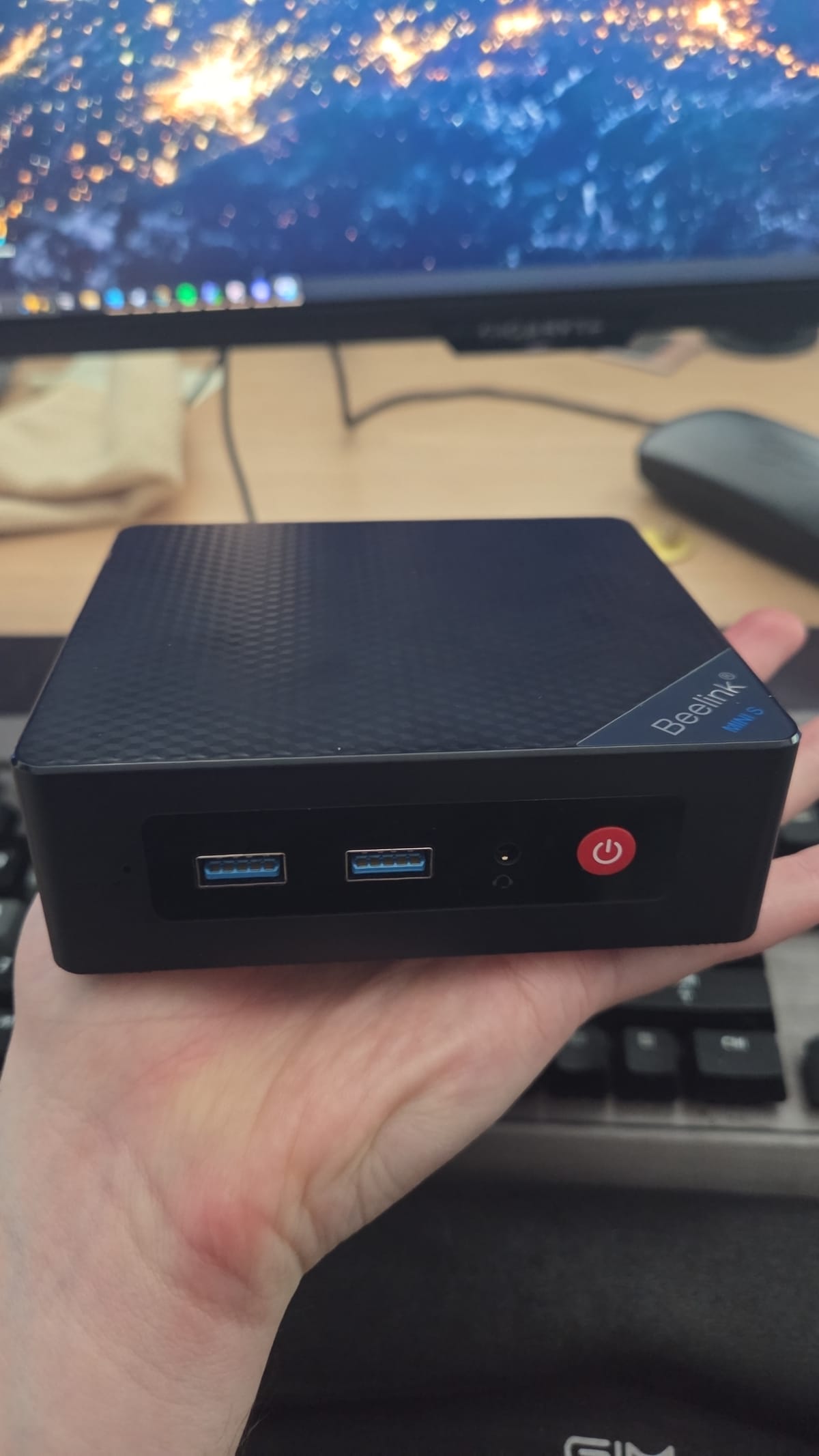
The core of the system is a Beelink Mini S12 Pro that I picked up second-hand for £119. It's an Intel N100 mini PC with 16GB of RAM and a 512GB SSD, basically brand new condition, opened but never used. Paired with a couple of Reolink cameras, the total hardware cost came in under £200 for a complete, subscription-free, AI-capable camera system.
The N100 chip is the hero here. It idles at around 10 watts, has Intel QuickSync for hardware-accelerated video decoding and is more than capable of running Docker with Frigate NVR on top. I checked the electricity draw across a few nights by looking at usage between 2am and 3am when nothing else in the house is pulling power. The mini PC and cameras together are drawing roughly 0.01kWh. That's pennies a year in electricity. Genuinely remarkable for a machine running 24/7 with AI object detection.
The Software Stack
The software side is Debian 13 running headless with Docker, Frigate NVR for recording and AI detection, Cockpit for web-based management, and Tailscale for remote access from anywhere. Frigate uses OpenVINO on the N100's integrated GPU for person and animal detection, which means no need for a separate Coral TPU (though I can add one later if I expand).
Setting it all up was genuinely straightforward. Debian installed in minutes, Docker went on cleanly, and Frigate's config is just a YAML file pointing at the camera RTSP streams. The hardest part was probably assigning static IPs to the cameras on my router, and even that took about five minutes.
The Detection False Alarm
The one moment of doubt came with the AI detection. After getting everything configured I was convinced the person detection wasn't working. I kept walking past cameras and checking the events timeline, seeing nothing. I started digging into Frigate's debug views, adjusting motion thresholds, tweaking contour areas, reading forum posts about detection zones.
Turns out it was working perfectly the entire time. I'd been checking the wrong event filter. Once I looked at the right view, there I was, captured in beautiful detail, walking past the camera over and over again like a paranoid security guard on his rounds. Classic case of the problem sitting behind the keyboard.
The Cat Highlight Reel
The real winner of this project is my partner. She loves watching the cats, and Frigate's AI detection means she can filter events to just "cat" and scroll through a timeline of everything they've been up to while we're out. It's essentially become an automated cat highlight reel, and honestly that alone would have been worth the cost.
The Frigate web UI works well on mobile too, so she can check in from anywhere via Tailscale. No app to install, just a bookmarked URL.
Living In a Cupboard
The mini PC now lives in a cupboard next to the router, hardwired with ethernet, quietly doing its job. I'm a bit sad about that if I'm honest. It's a lovely little machine, compact and well-built, and it feels like it deserves better than a dark cupboard. But that's the thing about infrastructure that works well: you set it up, put it somewhere out of the way, and forget about it.
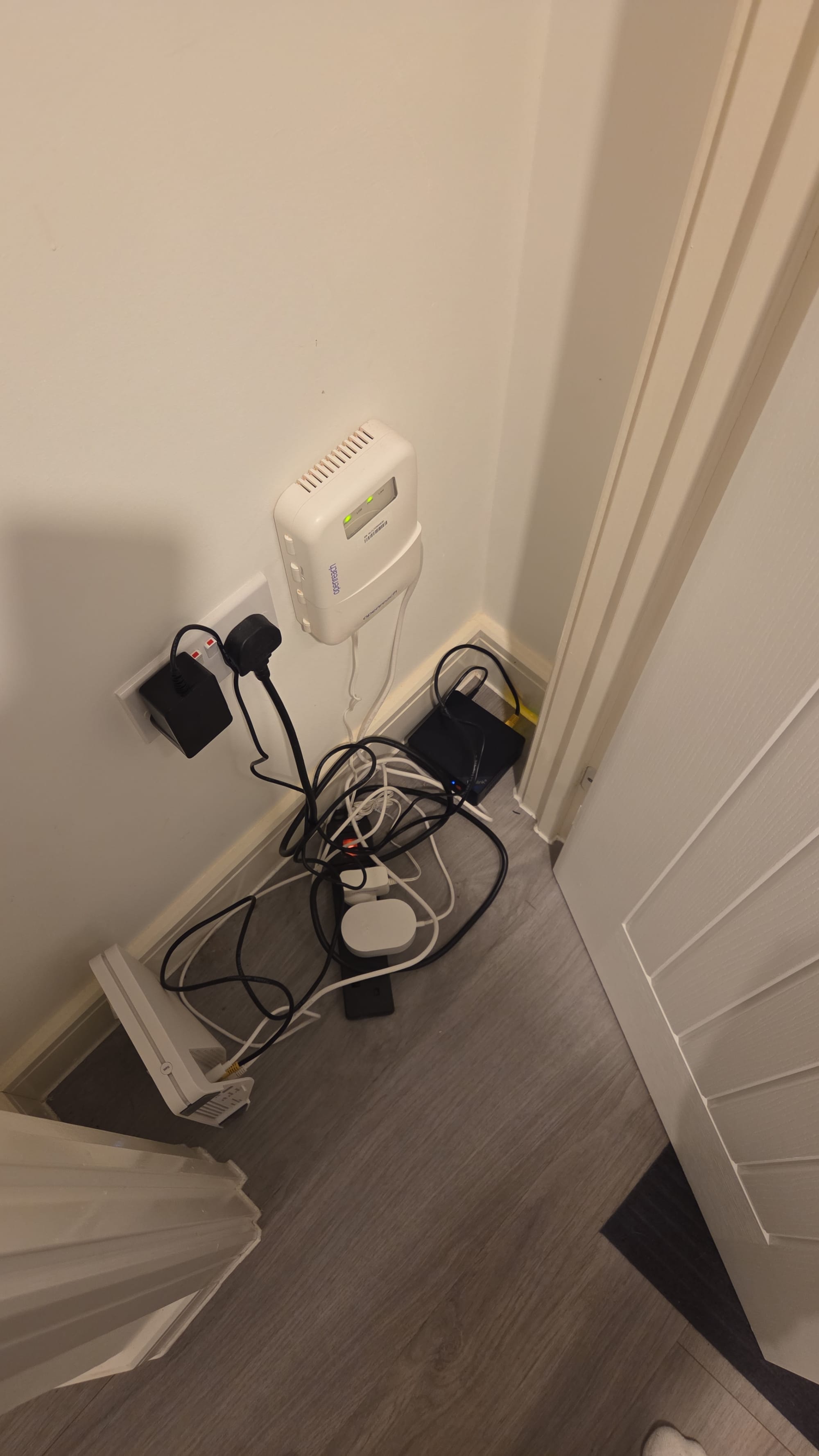
I access it via SSH or Cockpit when I need to, and Tailscale means I can do that from anywhere. It just runs. No maintenance, no subscription fees, no cloud dependency.
The Numbers
For anyone considering this, here's the rough breakdown. The Beelink Mini S12 Pro cost £119 second-hand, a genuine steal with the current price increases. Two Reolink cameras came in at roughly £80. The annual electricity cost is somewhere around £15-£20. There are zero subscription fees, ever. Total first-year cost was under £220, and every year after that is just electricity. Compare that to what you'd pay for a couple of cloud-connected cameras with storage subscriptions and it pays for itself inside a year.
What's Next
I'm planning to add Immich to the same box eventually for self-hosted photo backup, basically turning it into a mini home server. The S12 Pro has a spare 2.5" SATA bay so I can drop in a bigger drive for media storage without touching the boot SSD. But for now, the camera system is the priority and it's doing exactly what I need.
If you're paying for a camera subscription and you're comfortable with a bit of Docker and YAML, I'd seriously recommend this route. The upfront cost is modest, the running cost is negligible, and the capability is far beyond what any consumer camera system offers. Plus you own your data, nothing leaves your network.
One of my favourite builds in a while. Even if it does live in a cupboard.